We envision a world where personal productivity is seamlessly enhanced by AI that truly understands the context of your workday, eliminating busywork and allowing you to focus on what truly matters. Littlebird exists to transform everyday workflows through deeply personalized, context-aware assistance that integrates invisibly into your digital environment.
Our ambition is to redefine the relationship between humans and technology by creating an AI assistant that thinks like you—learning passively from your interactions without demanding any setup or complex integrations. We harness advances in contextual machine learning and natural language understanding to build tools that anticipate your needs and support your creativity, clarity, and decision-making in real time.
By prioritizing privacy, personalization, and immediacy, Littlebird aims to empower individuals to reclaim their time and mental space. We are dedicated to building an AI companion that evolves with you, delivering insights and generating authentic content that resonates with your unique voice and work style, ultimately shaping the future of work.
Our Review
The Quiet Revolution in Personal AI
Littlebird might be the most underrated AI tool we've seen this year. While everyone's obsessing over the latest ChatGPT features, this unassuming assistant does something far more impressive: it actually understands your work context without you having to explain anything.
What struck us immediately was how Littlebird simply works. No lengthy setup process, no complicated integrations, no "here's how to use me" tutorials. Install it, and it starts learning from what's on your screen, your meetings, and the apps you use daily. The difference between this and traditional AI is like comparing someone who's been following your work for months versus a stranger you just met.
Memory That Makes Sense
We've tested dozens of AI assistants, but Littlebird's contextual recall feels almost uncanny. Ask about "that marketing plan we discussed Tuesday" and it doesn't respond with a generic "I don't have that information." Instead, it connects the dots between your Slack conversation, meeting notes, and the draft you worked on afterward.
This isn't just search—it's genuine work memory. The kind that eliminates those "what did we decide again?" moments that plague remote work. During our testing, we found ourselves relying on it for exactly the things that usually fall through the cracks: quick decisions made in passing, contextual details from weeks ago, or connections between projects that weren't obvious at first.
When AI Actually Sounds Like You
The content generation features impressed us not for their eloquence (though that's there too), but for how they adapt to your personal style. After a week of use, Littlebird's drafts started to sound distinctly like our team's voice—not generic AI text.
What's clever is how it incorporates real references from your work history. When it drafted an email about a project update, it naturally included specific details from recent meetings and documents without us having to provide them. This contextual awareness makes its output immediately usable rather than requiring heavy editing.
Privacy Without Compromise
We were initially skeptical about an assistant that watches your screen, but Littlebird's approach to privacy deserves credit. The encryption, customizable visibility settings, and easy deletion options address the obvious concerns. We especially appreciated that the AI runs locally when possible rather than sending everything to the cloud.
What's missing? Team features, for one. Littlebird is clearly designed for individual use right now, which limits its appeal for collaborative work. And while the Windows version exists, it's still in beta, making this primarily a macOS tool for the moment.
For knowledge workers drowning in information overload, Littlebird offers something genuinely different from the AI chatbot crowd—an assistant that actually remembers your context without you having to constantly remind it. That alone makes it worth considering as your personal AI companion.
Features
Contextual Recall: Searches and recalls anything seen on-screen or in meetings instantly
Content Generation: Drafts emails, docs, and plans using real work context, mimicking user's style
Meeting Intelligence: Auto-transcribes meetings, summarizes decisions and action items
Proactive Insights: Delivers personalized updates on a user-defined schedule
Chat Interface: Natural language queries grounded in personal work history with zero setup
FAQs
Ploy was founded in 2024.
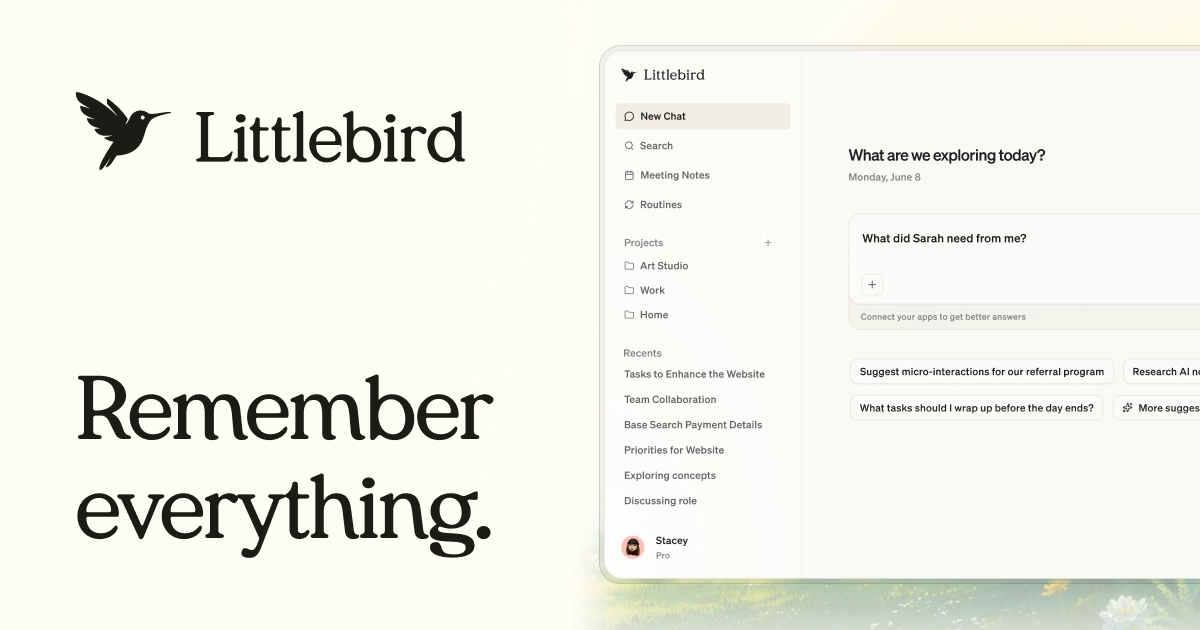

Littlebird is the only full-context AI. It works in the background, observing your screen and transcribing your meetings, to build a private memory of your work. No integrations, no setup, no catching it up. When you ask Littlebird something, it already knows. 84% of users say it saves them at least half a day per week.

Latitude AI
Thunderbit

SKYMEL

Braintrust


WaveSpeedAI


AI Writa

Fifteenth
Poll the People