Microsoft Designer envisions a future where creativity and productivity seamlessly unite, empowering everyone to produce striking visual content with ease and sophistication. Driven by the power of AI and cutting-edge generative technology, it strives to democratize design by making professional-quality imagery accessible to individuals and businesses alike, regardless of their design expertise.
Through deep integration with the Microsoft 365 ecosystem, Microsoft Designer is shaping a future where collaboration, innovation, and personal expression are enhanced by intelligent tools that adapt to user needs. It redefines how people communicate and connect visually, streamlining creative workflows and inspiring new possibilities in digital content creation.
By continuously advancing AI-driven design capabilities, Microsoft Designer is building a world where the barriers to creative expression are lowered, and imagination is the only limit. The platform aims to transform the way visuals are made, shared, and experienced, creating meaningful impact across industries and everyday life.
Our Review
Microsoft Designer caught our attention as soon as we realized it's basically Microsoft's answer to Canva—but with some serious AI muscle behind it. After spending time with the platform, we're impressed by how they've managed to make professional-grade design tools feel surprisingly approachable.
The standout feature? The AI image generation powered by DALL-E 2 is genuinely good. We've seen plenty of AI design tools that promise the moon but deliver weird, unusable results. This one actually creates images we'd be happy to use in real projects.
Where It Really Shines
The Microsoft 365 integration is where Designer truly separates itself from the pack. If you're already living in the Microsoft ecosystem—using Word, PowerPoint, or Teams daily—this feels like a natural extension rather than another app to learn.
We particularly love how seamlessly it works with PowerPoint through Copilot AI. Creating presentation graphics that actually match your slide deck's style used to be a pain point, but Designer makes it feel effortless.
The AI Actually Gets It
What surprised us most was how well the AI understands context and style. When we asked for "professional LinkedIn banner with tech vibes," it didn't just slap some generic code symbols on a blue background. The results felt thoughtful and on-brand.
The avatar creator is also a clever touch—especially for Teams users who want something more personalized than the standard profile pics. It's not groundbreaking, but it's the kind of feature that shows Microsoft is thinking about the whole user experience.
Who Should Jump On This
If you're already paying for Microsoft 365 Personal or Family, this is essentially free extra value—and we'd definitely recommend giving it a shot. Content creators, small business owners, and anyone who regularly needs graphics for social media or presentations will find real utility here.
The mobile apps are solid too, which means you can actually create decent-looking social posts on the go without needing to fire up your laptop. For a company that's traditionally been more desktop-focused, Microsoft nailed the mobile experience surprisingly well.
Features
AI-powered design generation using DALL-E 2
Design flexibility with templates and tools
Image editing (background removal, object removal, photo enhancement, framing, text/logo addition, style adjustments)
Avatar creator for cartoon-style avatars
Deep integration with Microsoft 365 apps like Word and PowerPoint via Copilot AI
Available as web and mobile app (iOS and Android)
FAQs
Ploy was founded in 2024.
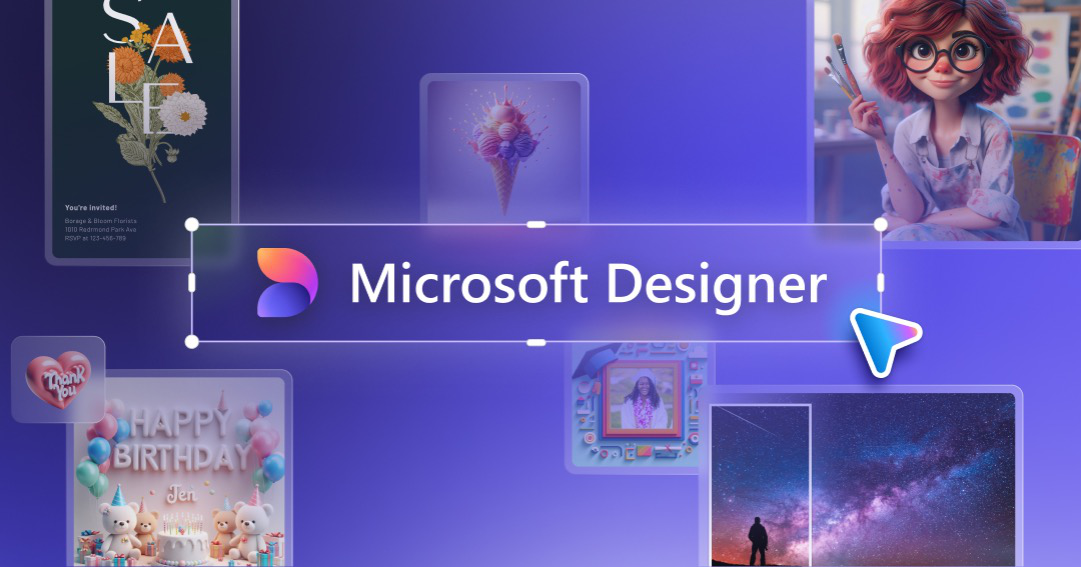

Microsoft Designer is a new AI powered visual design apps that enables users to create stunning visuals in a flash. Designer is currently available for those using a Microsoft Account (free to sign up if you don't have one) - designer.microsoft.com to be among the first to try!

Sobek AI
.avif)

Fabrie AI

Ringly

Lakera AI

CleanUp Pictures


NSWR

Catio

Linguix